Free, open source, with a built-in MCP server
Your timesheet, run by your AI assistant.
Connect Claude, ChatGPT, Cursor or any MCP assistant and say “log 3 hours on Acme, then make this week’s timesheet for sign-off.” UseHourly keeps the time, the timesheets and the invoices. Prefer typing? Press 1.5 or 90m and Enter and you’re done.
Free to use. No paywall, no ads. The demo comes with sample data and is deleted after a day.


Today screen of the tour
AI first
Ask your assistant. It’s in your timesheet.
UseHourly has a built-in server for MCP, the open standard that lets AI assistants such as Claude, ChatGPT and Cursor work with your apps. If you spend your day in an assistant, you can log time, run the timer, build a client’s timesheet and prepare an invoice without opening UseHourly at all.
Ask in plain words
Log 1h30 on a project, move an entry, or get hours per project for the month.
Timesheets and invoices, not just entries
Ask for the week as a grid, have gaps pointed out, get a link your client can read and approve, or have an invoice prepared. It asks before it shares, sends or deletes.
You hold the key
Log in and approve, or make an access token on your Account page. Choose read only or read and change, and revoke it any time.
Only your own data
An assistant sees just your account, and it can't change your password or make more tokens.
Connect in a minute
- Add this server to your assistant:
https://usehourly.app/api/mcp - Log in to UseHourly and approve. Choose read only or read and change.
- Ask it to log your time or prepare this week’s timesheet.
Claude Code: claude mcp add --transport http usehourly https://usehourly.app/api/mcp
Works with Claude, ChatGPT, Cursor and other MCP-compatible assistants. Free, like the rest of UseHourly.
Claude
MCP server
UseHourly
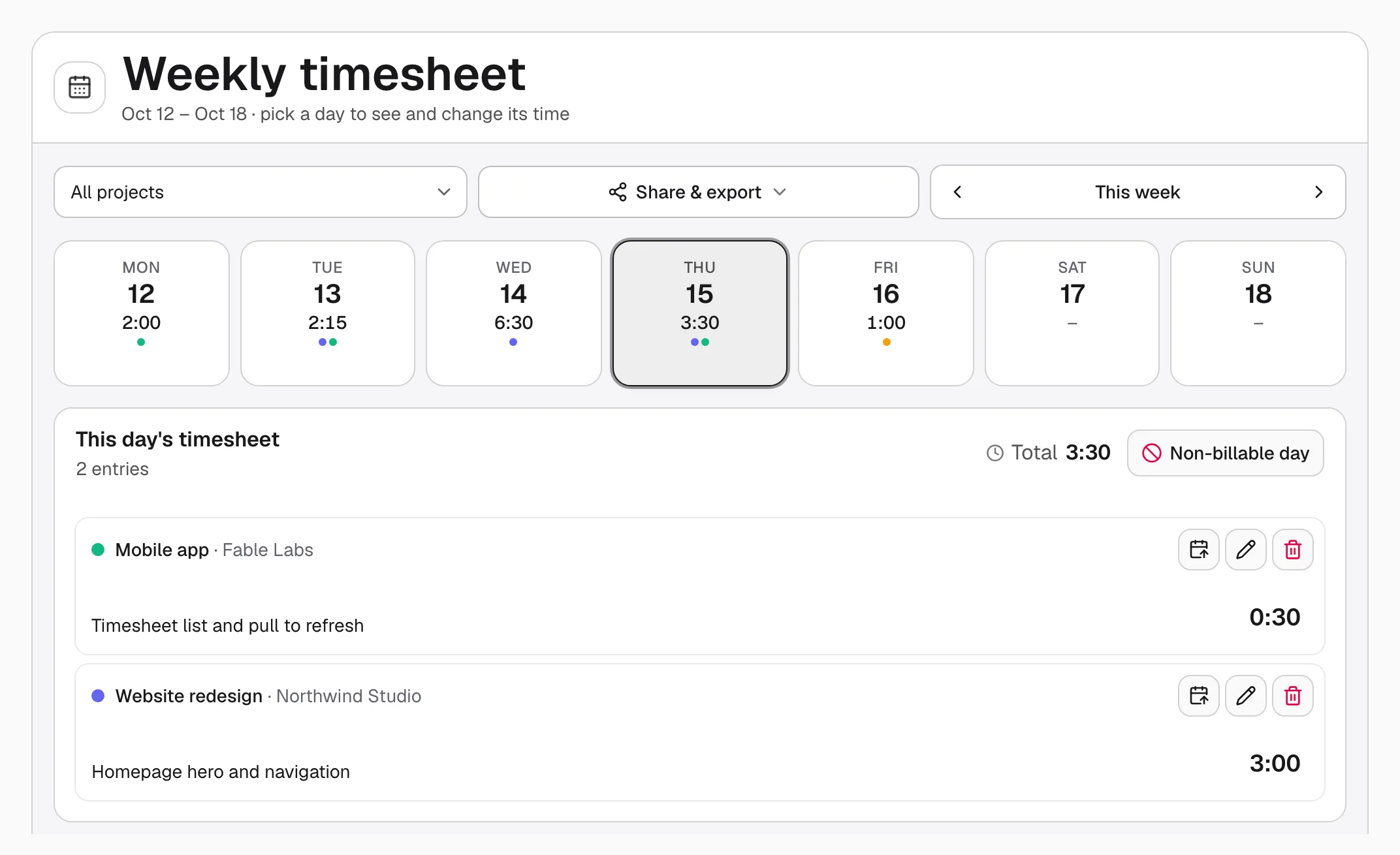
A real weekly timesheet.
Every project and every day in one grid. Type straight into any cell, fill several days at once, then export the week to Excel.
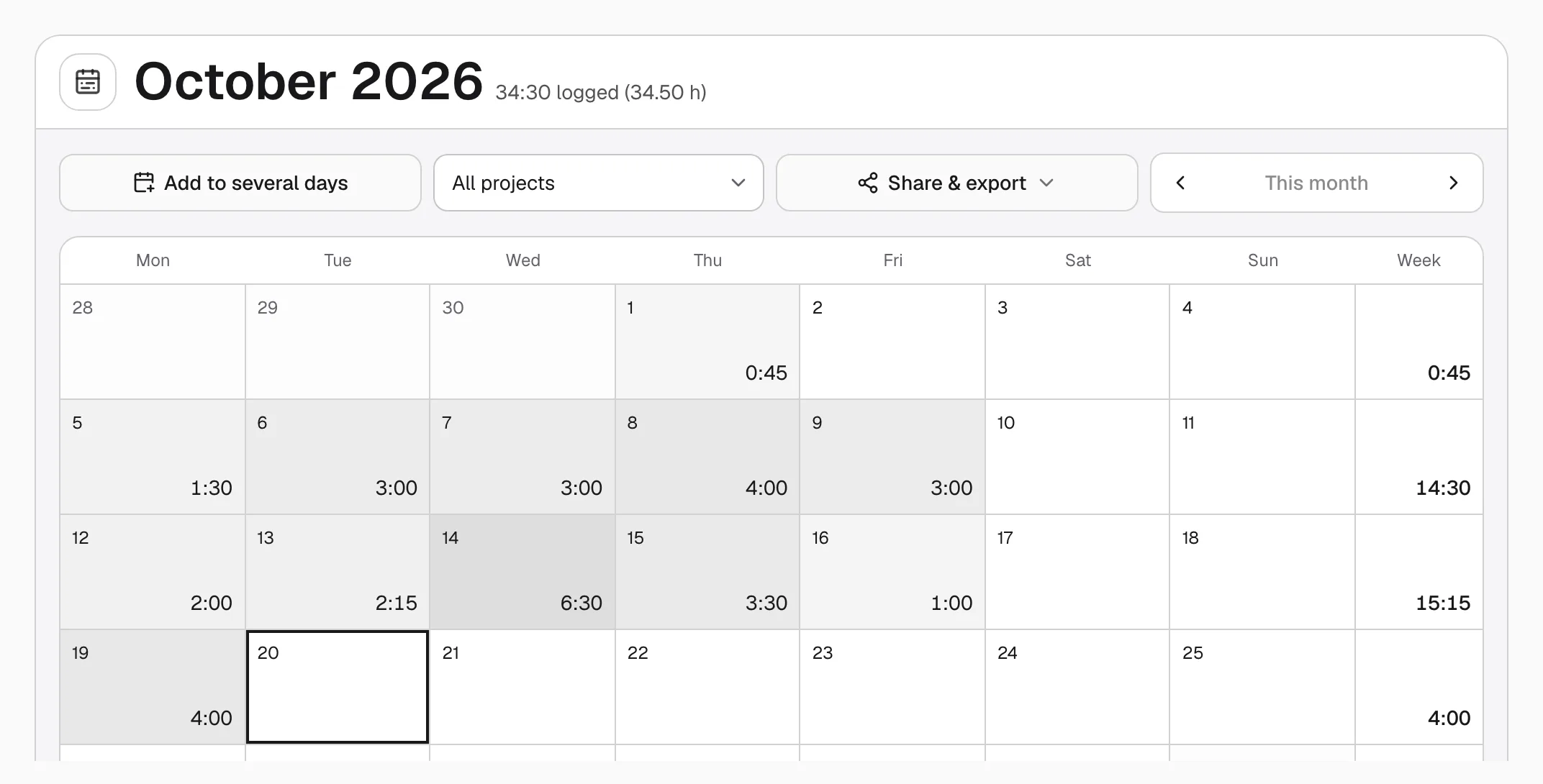
See the whole month at a glance.
A calendar that shows how every day and week added up, with a breakdown by project underneath. Spot a light week before it costs you.
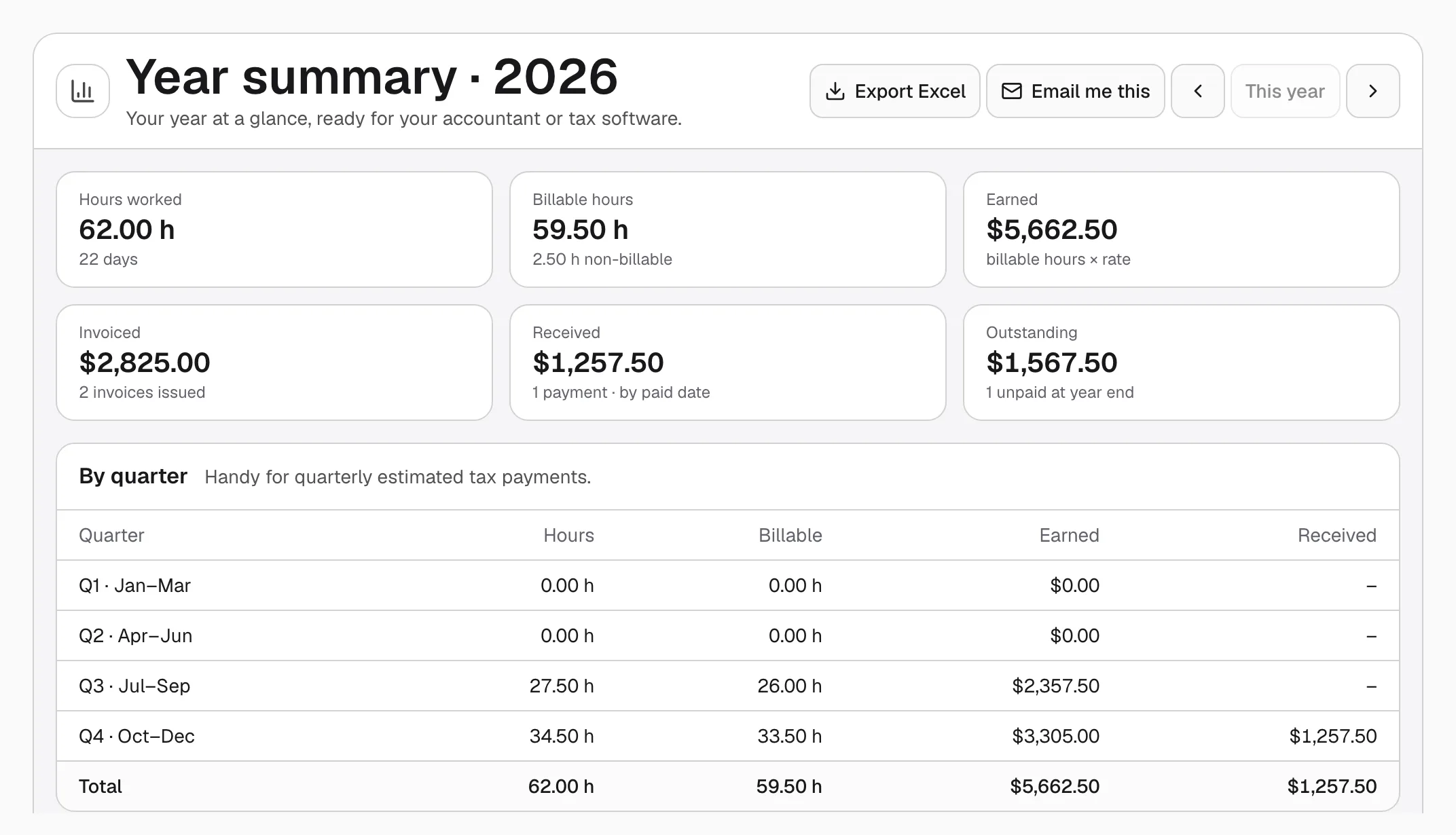
Ready for invoices and tax time.
Turn your tracked hours into invoices you can send as a PDF. At year end, see hours, earnings, invoiced and received by quarter and by month, ready for your accountant.
Everything you need, nothing you don’t.
Clients and projects
Keep each client's projects together, with an hourly rate on each.
Start and stop timer
Prefer to track as you go? One button starts it, one stops it.
Month calendar
See how every day and week added up at a glance.
Excel export
Take any week, month or year into a spreadsheet in one click.
UseHourly is free.
No paywall, no ads. If it saves you time, you can chip in to keep it running.
Start tracking today.
It takes a minute to set up, and seconds a day after that.
Create a free account